
WELCOME!
tech enthusiasts
I am someone who is passionate about new technologies and their rapid advancement.
Over the years, I have also grown to love reading and writing more and more.
This has allowed me to combine this growing passion with writing reviews to share my views on different products with people all over the world!
For Everyone Interested In Seeing Some of My Reviews
My Social Media
Here are all my social media accounts, perfect for contacting me or seeing my future work!
© All rights reserved.

My Review of The AtomMan G7 Pro Made By Minisforum

G7-Pro - Desktop - Resident Evil Requiem

TLDR
A machine that stands out right away because of its design, built in a slim aluminum chassis (around 1 inch thick), offering latest-gen specs, but it can run hot and loud if you don’t make a few adjustments.This is recommended for people who want to play AAA games, don’t mind noise, and want a system that doesn’t take much space.Overall, it’s a very capable machine.Hi everybody, I wanted to share my review about the Minisforum G7 Pro from the AtomMan Series.I ran multiple tests to make sure I deliver a review that actually helps people who are interested in this model.
What Type of Machine is This
The G7 Pro is essentially a gaming PC in a laptop-style chassis.It can handle AAA gaming without any issue, but also works well for productivity tasks like editing, rendering, or even some light AI workloads.That said, it sits in a bit of a weird middle ground between a mini PC and a laptop.
It’s not really portable like a laptop, but also not as compact as a typical mini PC.
Unboxing / What Comes in the Box
The packaging is very similar to what you’d expect from a laptop.
It uses a double box packaging.
The G7 Pro was secured between two foam blocks, allowing it to move freely and absorb impacts without getting damaged. So overall, a very effective packaging.Everything else was cleanly organized in separate boxes on the sides.

G7-Pro - Boxed

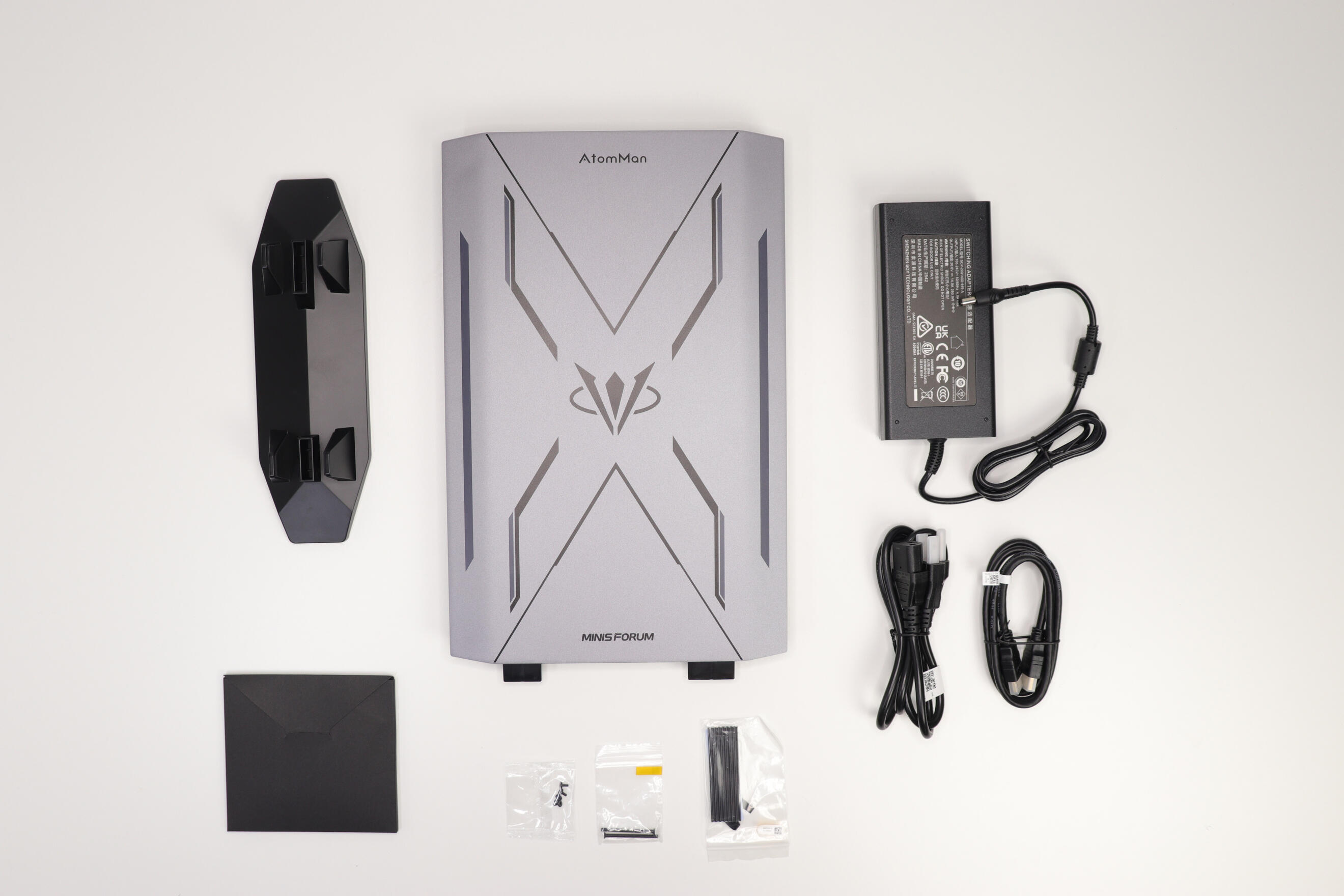
Included in the box:
* Minisforum AtomMan G7 PRO
* HDMI cable
* Stand + screws
* SSD Heatsink
* Power brick + power cable
* Instruction manual

G7-Pro - Unboxed - Front


G7-Pro - Unboxed - Back

Test Setup / Methodology
Here’s a quick overview of how all tests were done to keep things consistent:* Power mode: Balanced (High performance didn’t make a noticeable difference)
* Performance Boost modes tested: Disabled / Aggressive / Efficient Enabled
* Same in-game settings used across tests: Ultra with DLSS & without, High without DLSS (DLSS set to Quality) (Cyberpunk also tested with Ray Tracing)
* Nvidia driver used: 596.21 (Latest at the time)After additional testing, I actually recommend using the drivers provided by Minisforum.
Performance is very similar, but in some games it offers better stability.This helps keep results as consistent and comparable as possible.
Temperatures & Noise
Noise Levels
Here’s roughly what the PC sounds like depending on the mode.Keep in mind these values are approximate since I don’t have a decibel meter yet, but it should give a pretty good idea.* Aggressive (Stock) & Efficient Enabled: Around 65–66 dB under load Around 47 dB idle
* Work mode: Around 58 dB under load Around 40 dB idle
* Disabled mode: Around 55–61 dB under load Around 47 dB idleOne important thing I noticed is that a lot of the noise comes from very high FPS situations.
In menus or very high FPS scenarios (300–400+ FPS), noise can spike up to 70–72 dB.Temperatures during those moments:* CPU: 90-100°C
* GPU: ~50°COverall temperature under loadCyberPunk - 75-85°C
Hitman 3 - 80-95°C
Shadow Of The Tomb Raider - 80-90°C
Resident Evil Requiem - 75-90°CAs soon as you go back into gameplay and things stabilize, both temps and noise drop again.Because of that, I highly recommend locking your FPS if noise is something that bothers you.It helps reduce unnecessary fan usage and keeps everything much more stable.Let's be clear: yes, this machine runs hot and gets loud under load. But you have to keep in mind it's running a latest-gen CPU and GPU inside a 1 inch thick chassis.Any gaming laptop will do the same.
Power Modes Behavior
By default, the PC is set to Aggressive mode.This mode allows higher boost clocks, but also leads to higher temperatures, which can cause the CPU to throttle more.Because of that, performance can sometimes fluctuate depending on thermals and the selected power mode.After testing all modes, my recommendation is Efficient Enabled.It offers a much better balance between performance and noise, while still delivering strong overall performance.
(You can see it in the benchmarks)If you prefer a quieter experience, both Work mode and Disabled mode are good options.* Work mode keeps the system a bit more powerful than disabled while keeping a lower noise level than aggressive & Efficient enabled.
* Disabled mode lowers performance by around 35–40%, but significantly improves temperatures & Noise.Both modes can give you a much more stable and quiet experience, especially if you’re aiming for something closer to a console-like setup. (In Ultra or High)You can expect:* stable ~60 FPS
* much lower noiseHonestly, it’s a great compromise depending on your use case.
Power Mode Command
To unlock all power modes:Open the search bar → type cmd → run as administrator → paste this:powercfg -attributes SUB_PROCESSOR be337238-0d82-4146-a960-4f3749d470c7 -ATTRIB_HIDEAfter that, the new settings will appear in your power options.
Cooling
The cooling system honestly feels like a laptop.I’d even go as far as saying this is basically a laptop without a screen.- dual fans- six heat pipes- three exhaust ventsThe system works well overall, but like any laptop-style cooling solution, it comes with trade-offs.
Build Quality
The build quality is excellent, nothing much to complain about.The entire chassis is made of aluminum, except:* the front buttons
* the stand (very hard & solid plastic)
Windows Installation
Windows 11 comes preinstalled and preactivated.No bloatware at all, which is always great.The only extra software is their Control Center.
General Performance
Performance is very satisfying.You can easily get 90–100+ FPS in most AAA games in High/Ultra settings.The experience is smooth overall, but can vary slightly depending on thermals and power settings.
AI Performance
Up to 789 TOPS (GPU)Since it's marketed as AI-capable, I ran a few quick tests.Here are a few results (same model family for consistency, context length set to 8192):* QWEN 2.5 1.5B = 123 tokens/sec
* QWEN 2.5 7B = 53 tokens/sec
* QWEN 2.5 14B = 4.27 tokens/secI also included Geekbench AI results in the images.
Pros
✔ Extremely powerful and versatile
✔ High-quality metal build
✔ Compact and clean design
✔ Upgradeable RAM & storage
✔ No bloatware
Cons
✖ Limited USB ports
✖ Gets loud & hot under load
✖ Performance can fluctuate depending on thermals
✖ Requires tuning to get the best experience
Hardware Overview
The system comes with some really good specs.
CPU
Intel Core i9 processor 14900HX* 24 Cores (8 P-cores + 16 E-cores) / 32 Threads
* P-core Base Frequency: 2.2 GHz - Max Turbo Frequency: 5.8 GHz
* 36 MB L3 cache
GPU
Nvidia RTX 5070 Laptop* VRAM 8GB GDDR7
* 4608 Cuda Cores
Memory & Storage
This unit comes with:* 32GB SO-DIMM RAM @ 5600 MHZ
* 1TB M.2 SSDOther configuration available:* Barebone (No ram & No SSd)*Max Capacity Support: 96GB
*Max SSD capacity support: 8TB
Benchmarks
I included benchmark images in this review if you want to see performance results for:* Cinebench R23/2026
* 3DMark
* Geekbench AI
* LM Studio
* Gaming performance

Benchmarks Games


3Dmark Benchmarks


Other Benchmarks

Connectivity & Ports
Front I/O
* *2 USB 3.2 Gen1 (5Gbps)
* USB-C 3.2 Gen1 (5Gbps, Data Only)
* SD Card Slot
* Audio JackButtons:* Power
* Performance mode switch
Rear I/O
* USB4 (40Gbps, PD Out Max. 15W)
* USB 3.2 Gen2 (10Gbps)
* HDMI 2.1 (FRL)
* 2.5GbE LAN Port (RJ45, RealTek RTL8125)
* 1 × DC power inputWireless connectivity includes:* WiFi 7
* Bluetooth 5.4
Dimensions
385 x 237 x 33 MM (No Stand)
398 x 260 x 80 MM (With Stand)
Final Thoughts
Overall, the G7 Pro is a really solid machine.
The build feels premium, performance is strong, and the fact that it can handle pretty much any AAA game inside something this compact is genuinely impressive.The noise is the main thing you need to make peace with. Under load it gets loud, especially in aggressive or efficient enabled mode.But honestly, once you tune it properly it becomes a much more manageable experience. If you're someone who games a lot, doesn't mind some fan noise, and wants a clean setup that doesn't eat up desk space, this is hard to beat.
Just don't expect it to be silent it's not.If you want more information about the product, the official page is available here:
Minisforum G7 ProI hope you enjoyed this review 🙂I’d love to hear your experience if you bought one!If you have any questions just contact me!(Quick note: I received this unit for free for review purposes, but all opinions are entirely my own.)
More Pictures

AtomMan - G7-Pro - Standing FrontSide

AtomMan - G7-Pro - Standing BackSide
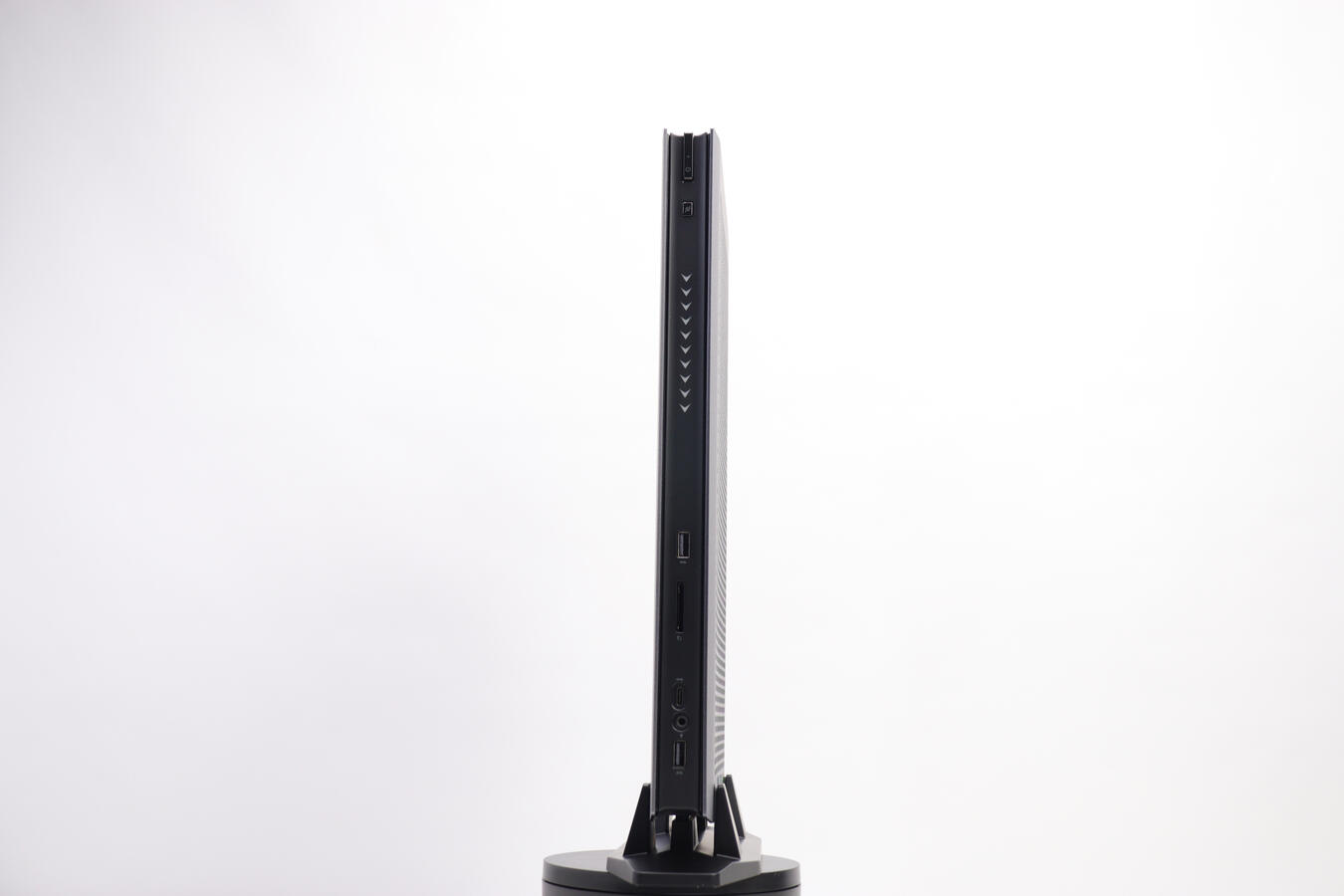
AtomMan - G7-Pro - Standing Front
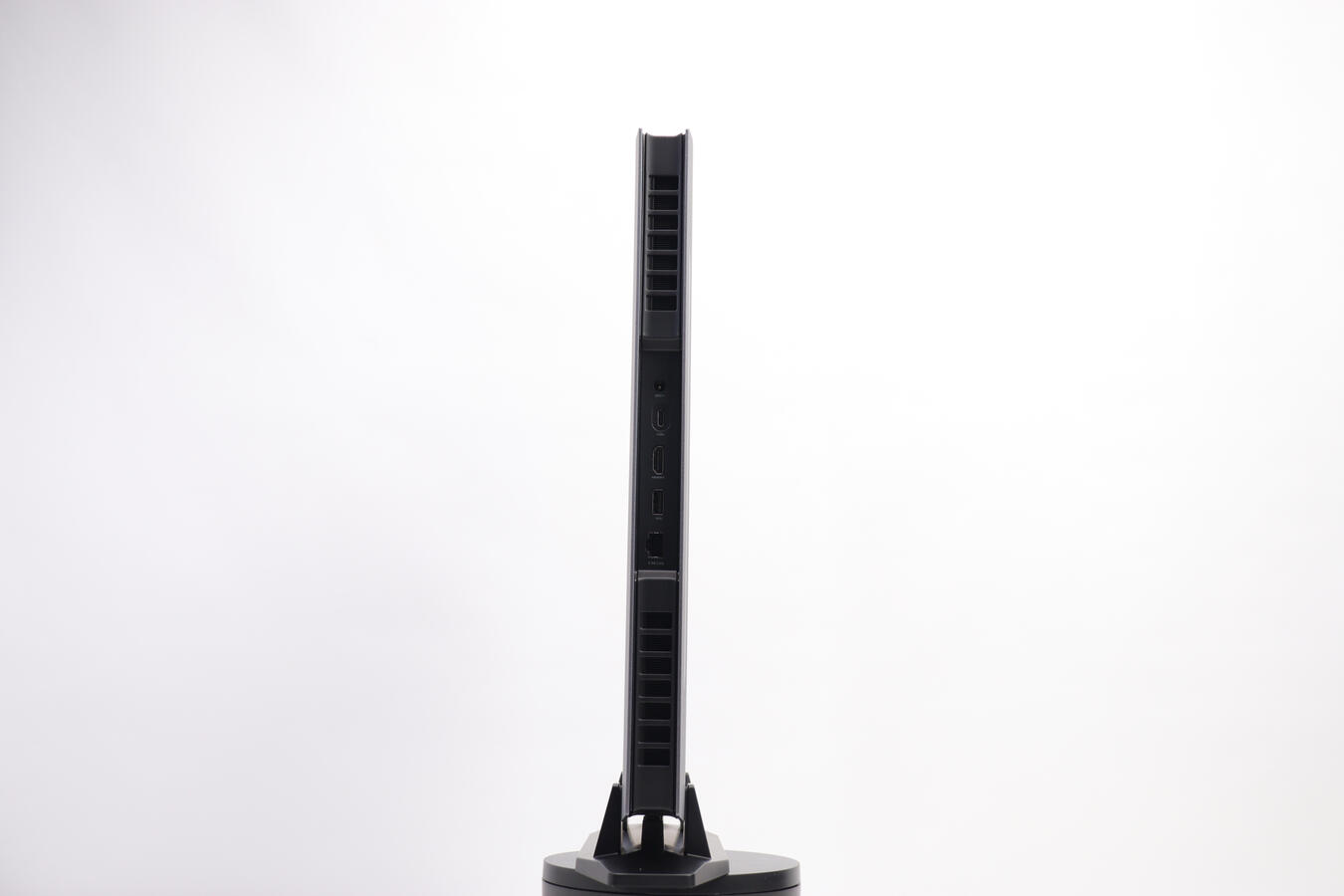
AtomMan - G7-Pro - Standing Back

AtomMan - G7-Pro - Standing Front - Zoomed
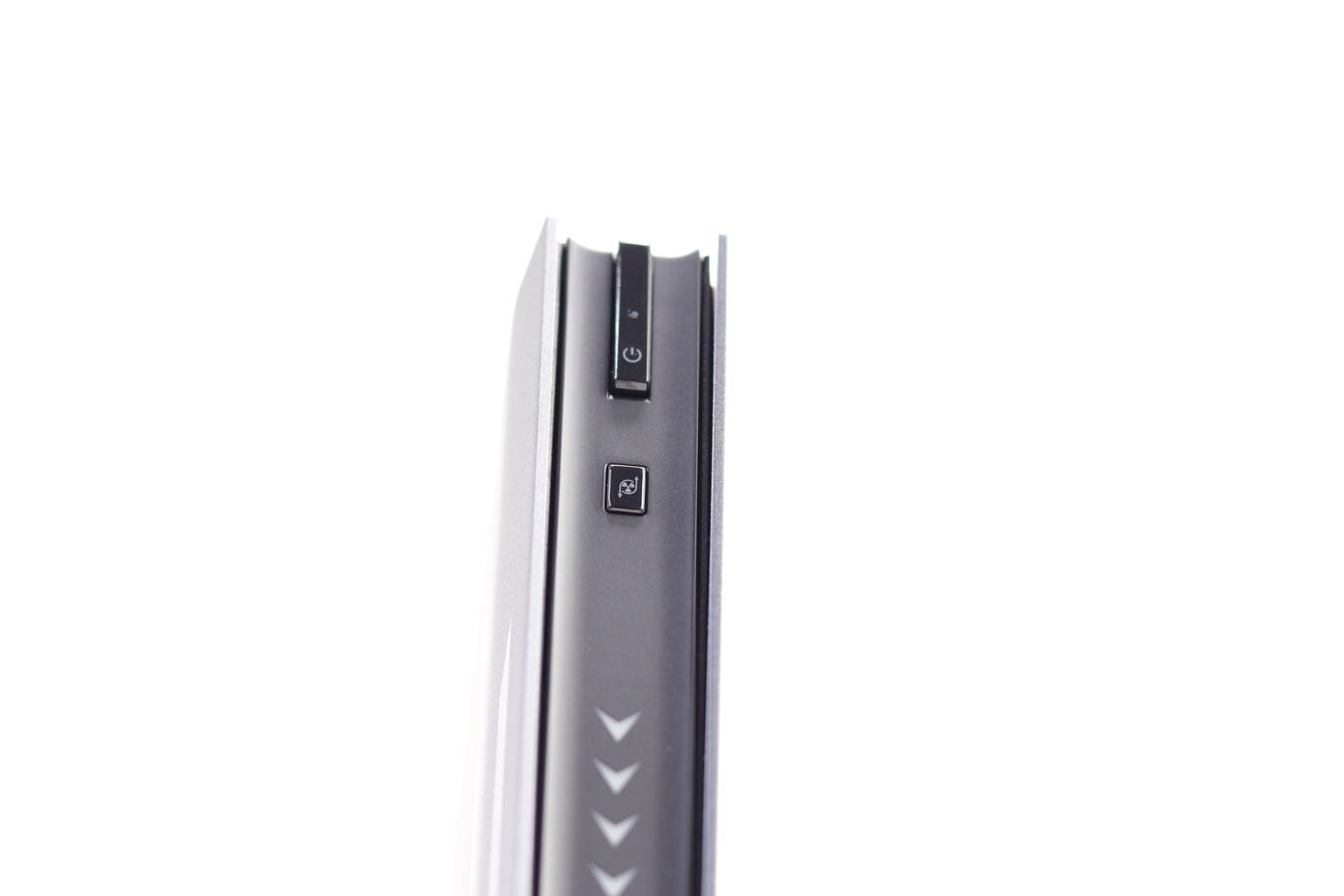
AtomMan - G7-Pro - Power Button Zoom

AtomMan - G7-Pro - Atomman Logo

AtomMan - G7-Pro - Minisforum Logo

AtomMan - G7-Pro - Horizontal Front

AtomMan - G7-Pro - Horizontal Back

AtomMan - G7-Pro - Stand Top

AtomMan - G7-Pro - Stand Under

AtomMan - G7-Pro - Box Front

AtomMan - G7-Pro - Box Top


My Review of The Nucbox Evo-X1 Made By GMKtec
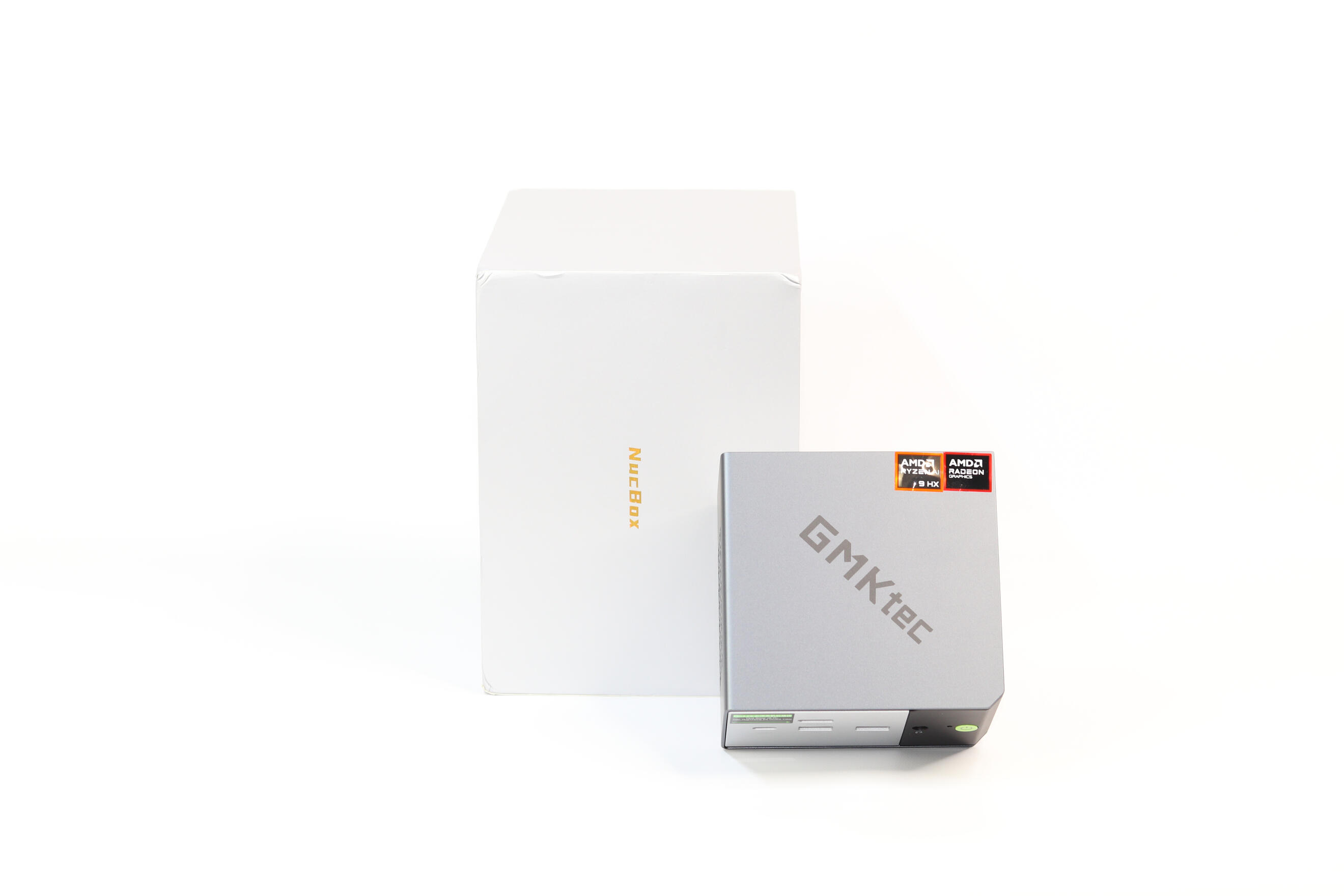
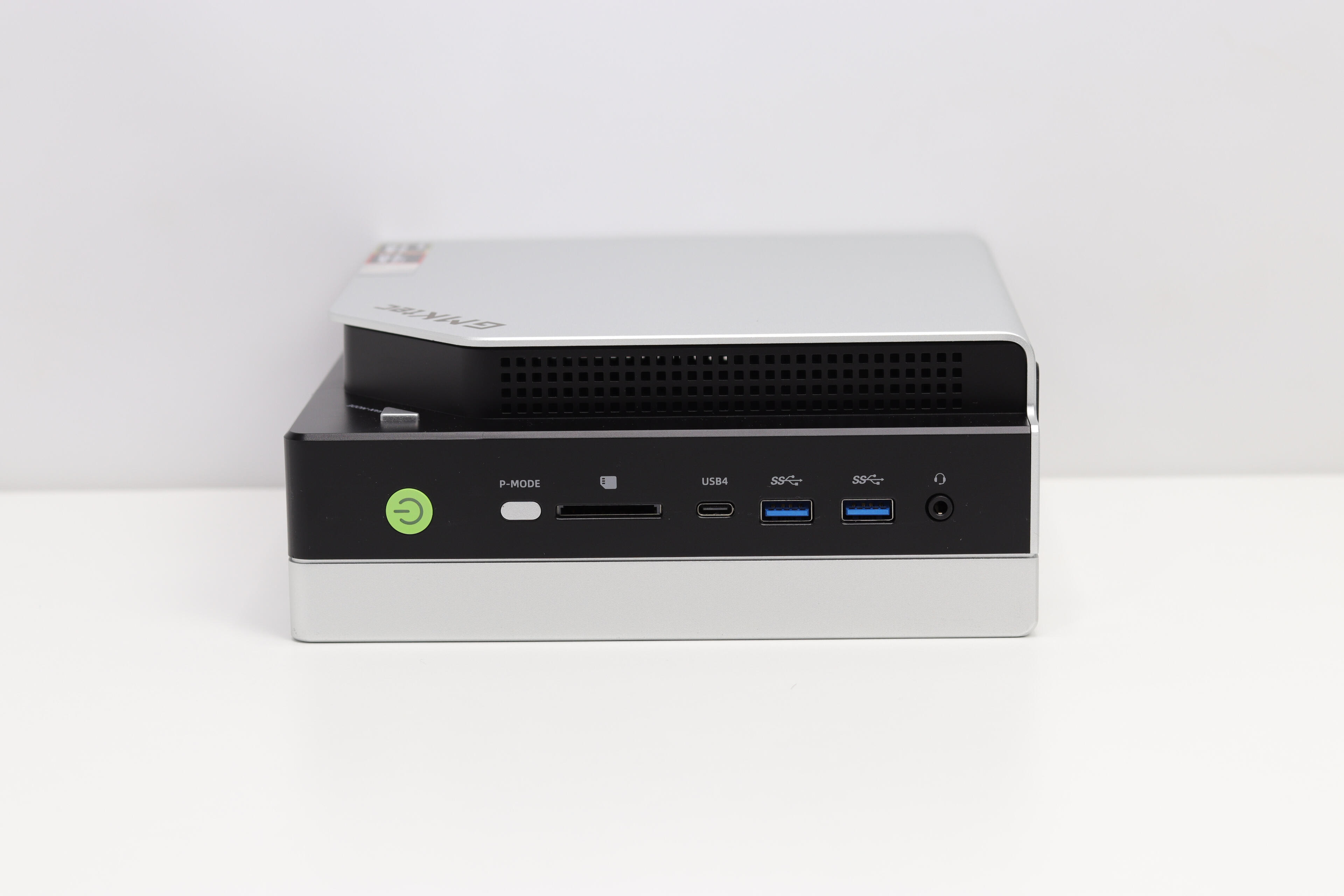
Here is What I Think of The Nucbox Evo-X1TL;DRThe Nucbox Evo-X1 is a compact but powerful mini PC powered by the brand-new Ryzen AI 9 HX-370. It’s perfect for daily tasks, media, light gaming, and even AI workloads thanks to its integrated NPU. While the fan can get noticeably loud under heavier loads and temperatures can creep up during extended stress tests, cooling holds up well overall in regular use. The Oculink port gives you the option to plug in an external GPU for greater performances. The RAM is soldered, which limits upgradability,** but overall, this is a seriously capable and good looking machine for the price.Let me start by saying that this is an amazing machine, especially considering its size. I’ve been using it for about a month now, and it continues to surprise me in terms of performance and flexibility.Performance and UsageThis mini PC delivers remarkable performance, especially for something that relies entirely on an integrated GPU. It handles a variety of tasks without any issue, including:Gaming: Runs emulators and many PC games, including AAA titles if you're willing to lower settings a bit. FPS AVG: Around 80-110 FPS depending on the settings (Medium-High) and with or without SR (AMD Super Resolution).
Hosting: Pretty powerful machine if you intend to host dedicated servers for games like ARK, Satisfactory, Minecraft with a lots of mods and a lots of people! Or even a powerful Plex server that needs to do transcoding for a lot of person.
Work: Ideal for professionals who travel or want a compact yet powerful workstation. Tasks like photo or video editing work really well here.
AI Workloads: Thanks to its integrated NPU, it supports AI processing up to 80 TOPS, which makes it suitable for machine learning or other AI related workloads.Real-World ComparisonCompared to the M7 Pro another mini PC I recently bought, this one is roughly 30-35% more powerful based on my benchmarks.ThermalsTemperatures are slightly higher than I would like, but still acceptable for such a small form factor, and its also from heavy loads.CPU during heavy benchmarks: around 93°C
CPU while gaming: 68–78°C
GPU: peaked at 58°C during benchmarks, 46°C while gamingBuild and FeaturesThe form factor is very small, which is a plus for portability
Full metal housing whiches gives a premium feel
Comes with Windows 11 Pro preloaded and clean (no third-party bloatware)
Packaging is tight and sturdy
Includes a second M.2 SSD slot for storage expansion
Oculink port allows you to connect a full desktop GPU — a rare and powerful feature in a mini PCSpecs OverviewCPU: AMD Ryzen AI 9 HX 370 (12 cores / 24 threads, up to 5.1GHz)
GPU: AMD Radeon 890M (16 cores, up to 2.9GHz)
RAM: 64GB LPDDR5X 7500MHz (soldered, not upgradable)
Storage: 1TB NVMe SSD (PCIe 4.0)
Connectivity:2x 2.5Gbps Ethernet ports
Type C USB 4, HDMI, DisplayPort
4x USB 3.2 Gen2
3.5mm jack (CTIA)
Oculink port for external GPU
Wi-Fi 6, Bluetooth 5.2
Extra M.2 slot for expansion*ProsCompact and lightweight
High-end specs considering the size
Oculink port for eGPU
Dual 2.5Gbps Ethernet
Expandable storage (Extra M.2 slot)
Clean Windows install
Excellent performance for gaming, work, and AIConsFan noise can get pretty loud
RAM is soldered and not upgradable unfortunatelyWhat I Would Like To See Added1. It would be great to include a built-in SD card reader — very useful for people who travel and need quick media access.
2. Bring back the ability to upgrade RAM, like in some of the older models.
3. Improve cooling to provide better temperatures.Final VerdictThis is an incredible mini PC with great performances packed into a small and portable design. Whether you’re gaming, working, doing AI projects or running dedicated servers, the Nucbox Evo-X1 handles it all. Aside from the soldered RAM, the noise and the temps, I don’t have many complaints.Highly recommended if you’re looking for something powerful, compact, and versatile and you're willing to pay that type of price!

My Evo-X2 Mini PC Review
I know several reviews have already been made about the GMKtec Evo-X2, but I still wanted to share my thoughts about it.I also saw that at the beginning there were some problems reported.
I saw issues related to packaging, shipping, and stability under heavy temperatures.With the tests I have done and the way I’ve been using it, everything seems to be resolved because on my side everything works perfectly, even at high temperatures.
What I plan to do with this machine
With the rapid advancement of AI, I plan to experiment in this field, both with image generation and LLMs like GPT-OSS-120B, which the PC runs without any problem.Now that it is my main computer, I also plan to do gaming and other moderately to highly demanding tasks.For me, this is definitely an interesting upgrade. This mini PC allows me to do absolutely everything I was able to do with my desktop tower, and even better, while being 10x smaller.I can play AAA games like Resident Evil Requiem without any issues, run almost any language model, generate images locally, and follow everything related to AI without being left behind.The specs allow this very easily.I also like the fact that the computer is very easy to transport. For me, it’s such a versatile and useful machine.I recommend everyone to grab one while you still can, especially with the current price of RAM...
Unboxing/What Comes in The Box
The packaging was very good.The PC was firmly held in place inside a block of rigid foam, and even the top of the box contains an additional foam layer.The different cables were separated into two small boxes that are also held firmly in place by the foam.Included in the box:* GMKtec Evo-X2
* HDMI cable
* Power brick + power cable
* Warranty card
* Instruction manual

What Comes in The Box

Temperatures
In idle, the PC stays fairly cool, between 40–50°C (CPU).For the iGPU in idle, it sits around 33–34°C.Under heavy load it can reach 80–98°C, which is quite high, I won’t deny that. However, for a mini PC this powerful it is fairly normal, and as long as it does not run at 98°C continuously for days, there is nothing to worry about.For the iGPU under load, temperatures are around 50–64°C, which is very good.Also, the CPU temperature seems to be locked at 98.4°C to ensure it does not get damaged over the long term.
Build Quality
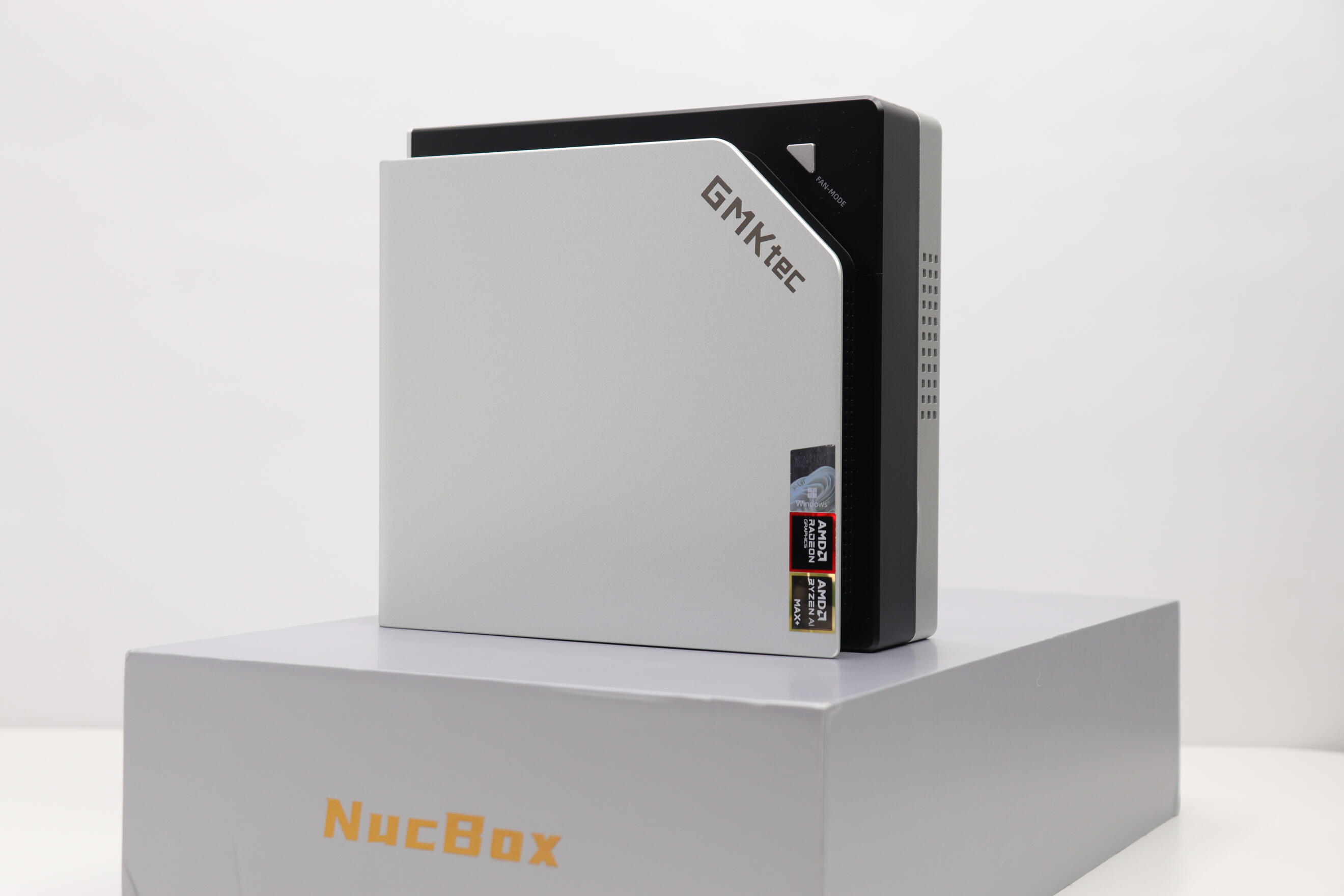
The GMKtec Evo-X2 has a fairly good build quality.The bottom and the top are made of metal, while the center part is made of rigid plastic, giving the system a fairly premium feel.The PC also has a bit of RGB lighting. Personally, I am not a fan of RGB at all, so I disabled it.There is a button on the machine. If you hold it for about 2 seconds, the RGB turns off.
Windows Installation
Windows 11 comes preinstalled and preactivated.The system is free of any bloatware, which is always something positive.The only additional software installed is AIPC, which is their own application for running LLMs.It works similarly like LM Studio or Ollama, but it is simpler and less customizable. However, for anyone who simply wants to run a language model easily, it is plug-and-play and works perfectly fine.
General Performance
Out of all the mini PCs I’ve tested so far, this one is by far the most impressive.
Inside such a small form factor there is an insane amount of power, it almost feels ridiculous how much performance they managed to pack into this tiny machine. I can’t wait to see what we will have in the future.The PC was mainly designed and marketed around AI workloads, but it also works extremely well as a gaming machine.For example, I was literally able to play Resident Evil Requiem at maximum settings with very good performance.
(You can see the FPS in my pictures, all in 1080p.)And remember, this system is running only an iGPU.That really shows how fast technology is moving. Being able to play modern AAA games on an integrated GPU would have sounded crazy just a few years ago.Performance wise, the integrated GPU is roughly comparable to an NVIDIA GeForce RTX 4060 Laptop GPU.But let’s focus on the main selling point of this machine: AI.
AI Performance
If you bought this machine for AI workloads, you are definitely in the right place.For my testing, I installed LM Studio and ran five different models:* Qwen 3.5 9B
* Qwen 3.5 35B
* Qwen 3.5 122B
* GPT-OSS-20B
* GPT-OSS-120BThe system handled them without any major issues. (I say: without any major issues. talking about AI in general, especially under Windows, which can be unstable at times)(Vulkan was used and not ROCm)Benchmarks can be seen in the pictures attached.I also tried OpenClaw with Ollama running GPT-OSS-20B, and that worked well too, under a VM with Ubuntu.(OpenClaw is an AI assistant that you can configure to do pretty much anything you want)However, it’s important to remember that AI software is still evolving very quickly. Because of that, you may sometimes run into compatibility issues, especially with relatively new hardware like this.In my case, I had some problems getting ROCm working properly under Windows 11, and even small problems like Cinebench 2026 crashing when running the GPU option.For Linux users, compatibility should generally be much better. It is pretty much recommended if you are comfortable with it and mainly want to work with AI.
I can't talk give too much details for Ubuntu because I am fairly new to it.
Hardware Overview
The system comes with some seriously good specs.CPUAMD Ryzen AI Max+ 395* 16 cores / 32 threads
* Up to 5.1 GHz boost clock
* 16 MB L2 cache / 64 MB L3 cache
* Runs around 120W sustained (up to ~140W peak)GPUAMD Radeon 8060S integrated graphics
(Most powerful iGPU on the market right now)* 40-core RDNA 3.5 architectureNPU* Dedicated 50 TOPS NPU
* Up to 126 TOPS total AI performance
Memory & Storage
This unit comes with:* 128GB LPDDR5X RAM @ 8000 MT/s
* 2TB M.2 SSDOther configurations available:* 64GB RAM + 1TB SSD
* 96GB RAM + 1TB SSDAn interesting detail is that the RAM is shared between CPU and GPU, and this can be adjusted in the BIOS.For example, my configuration was:* 96GB VRAM for the iGPU
* 32GB for CPU / systemThis gives a lot of flexibility depending on the type of work you plan to do.
Benchmarks
Benchmark images included under.
(Everything was tested with the Performance mode in Bios and on pc)* Cinebench
* 3DMark
* AI inference
* LLM performance
* Resident Evil Requiem performance

Resident Evil Requiem


3DMark/Cinebench


LM Studio/Geekbench

Connectivity & Ports
Front I/O* 2 × USB-A 3.2 Gen2
* 1 × USB-C (USB4)
* 1 × 3.5 mm audio jack
* 1 × SD card reader (SD 4.0 / SDXC)Buttons:* Power
* System fan lighting control
* Performance mode switch

Front I/O

Rear I/O* 1 × DisplayPort 1.4
* 1 × HDMI 2.1
* 1 × USB-A 3.2 Gen2
* 2 × USB-A 2.0
* 1 × USB-C (USB4)
* 1 × 3.5 mm audio jack
* 1 × 2.5G Realtek Ethernet port
* 1 × DC power input

Rear I/O

Wireless connectivity includes:* WiFi 7
* Bluetooth 5.4
Dimensions
193 mm × 185.8 mm × 77 mmDespite the small size, the system still manages to deliver desktop level performance in many workloads.
Pros
✔ Really powerful and extremely versatile
✔ High-quality metal chassis
✔ The most powerful iGPU currently available
✔ SD card reader
✔ Different power mode button
✔ Excellent for local AI / LLM workloads
✔ Dual M.2 2280 slots (upgradeable storage)
✔ No Bloatware
Cons
✖ Ethernet connection seemed a bit unstable during my testing (WiFi worked perfectly)
✖ The system can get quite loud under heavy load
✖ No OCuLink port (although USB4 can still be used for external GPUs)
✖ LPDDR5X RAM is soldered (not upgradeable, more performance but harder to repair)
✖ AI ecosystem is still evolving, so Windows compatibility can sometimes be tricky (Not really a PC problem, more of a technology problem, but I still think its important to add here)
Final Thoughts
Overall, the GMKtec Evo-X2 is one of the most impressive mini PCs I’ve bought and tested so far.It combines:* serious AI performance
* surprisingly capable gaming performance
* extremely powerful integrated graphicsinside a very compact system.If you’re looking for a mini PC capable of running local AI models while still being able to handle modern games, and you’re okay with some of the cons + some of the AI instability this machine is honestly hard to beat.I hope you enjoyed this review! :)If you want to see the complete unboxing and some test here is my Youtube Video: My Unboxing Video
More Pictures
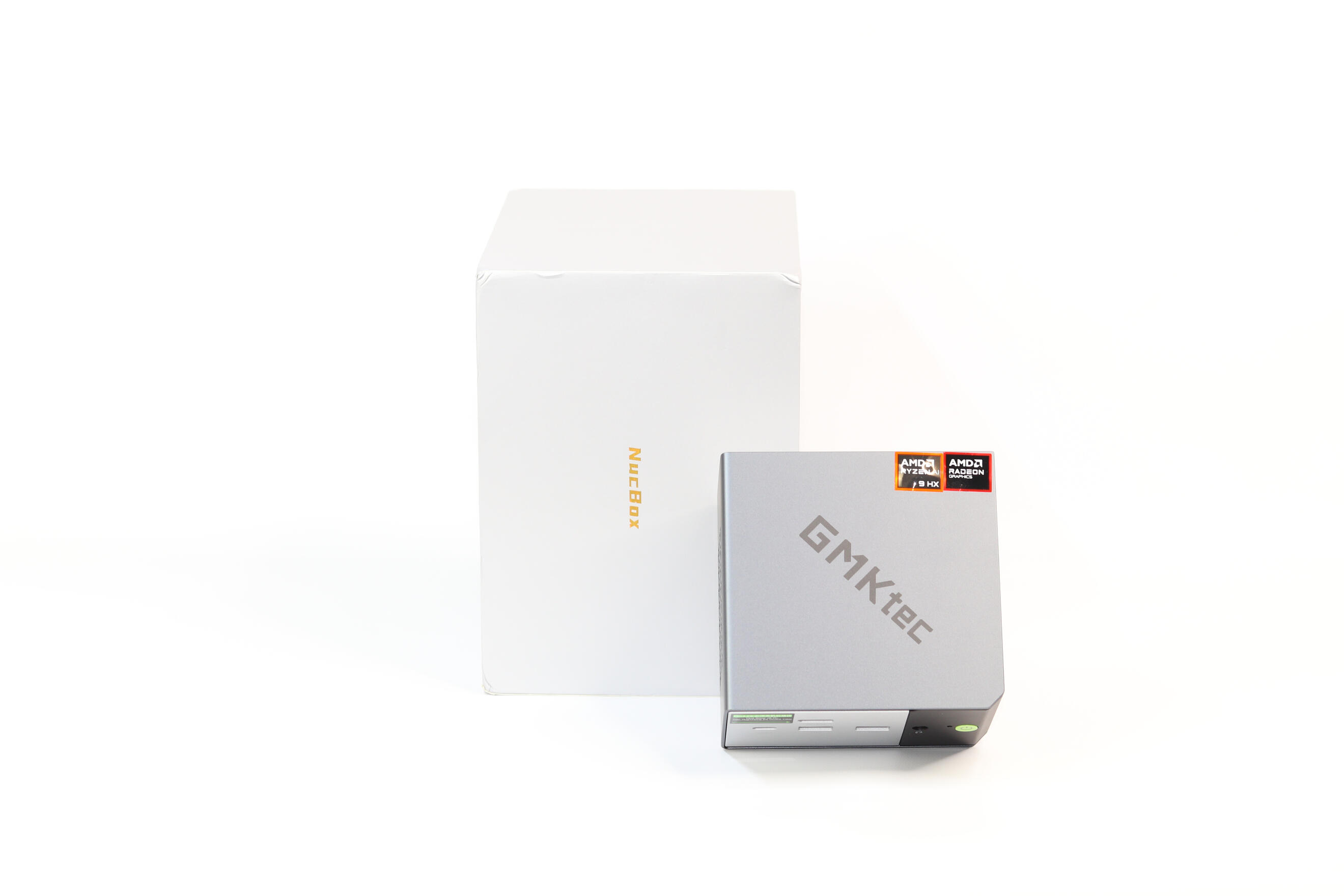
GMKtec Evo-X2 Box

GMKtec Evo-X2 Boxed

GMKtec Evo-X2 Top Unboxed

GMKtec Evo-X2 Standing Front

GMKtec Evo-X2 Standing Front

GMKtec Evo-X2 Standing Aeration

GMKtec Evo-X2 Front

GMKtec Evo-X2 Rear

GMKtec Evo-X2 Side 1

GMKtec Evo-X2 Side 2


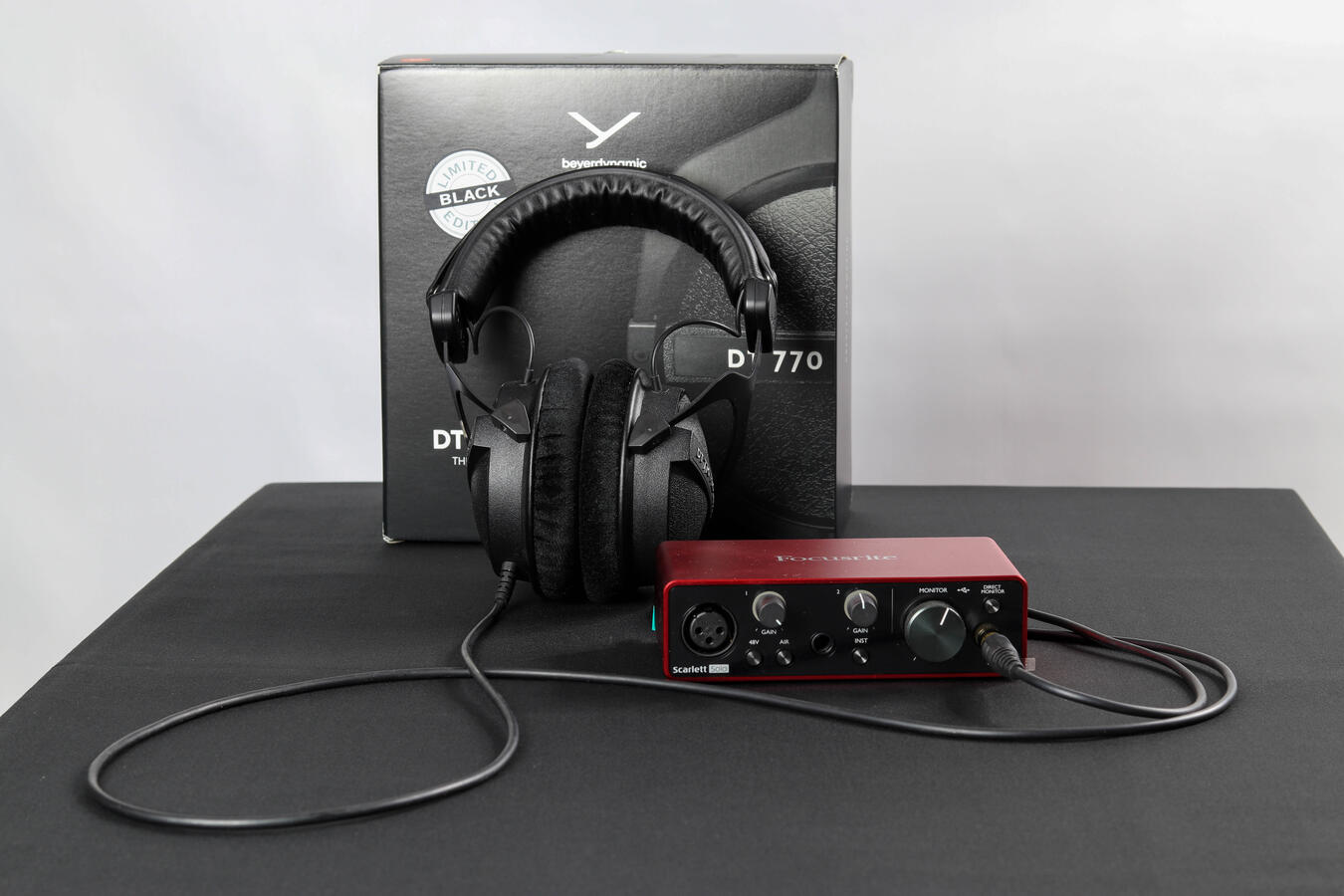
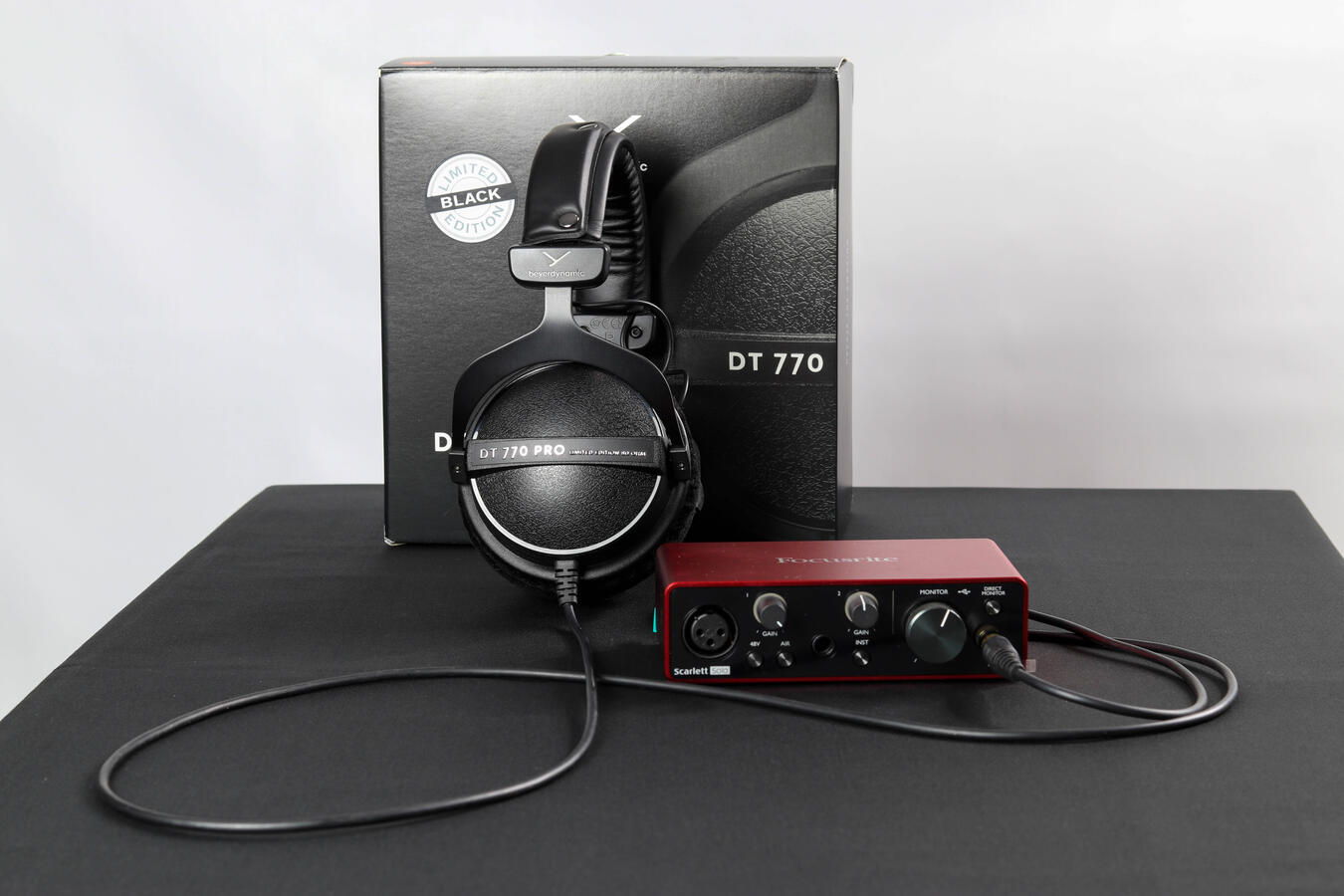
My Review Of The Amazing DT 770 PRO 80 OHMS
My Experience:
To begin with, I'll describe my first experience, how I felt about it, and what I was using before.I've long used Hyperx Cloud IIs, which have several similarities, as they're based on Takstar Pro, which are themselves based on the DT 770 PROs.
Without getting off topic, I really enjoyed my Cloud IIs. I used them for a long time and when I finally decided to make the move to a better range of headphones (Beyerdynamic), well, I was quickly disappointed.Yes, you read that right. I was disappointed the first time I used them.
These headphones took me at least 1 month to get used to, but when I finally did, WOW, it was a game changer it was just impossible to go back to my old headset.
The Beyerdynamics are simply superior in every way.The DT 770 PRO have far more depth, far more adjustability, they're extremely solid, all parts can be bought and changed it's quite simply a range apart!
Why didn’t you like them at the beginning?
That's a good question, before testing them I really wasn't aware that our ears could have this much difficulty liking and adjusting to something new.
At first, the sound just felt short, bland, without any difference or depth. My ears just weren't able to perceive it, but with time everything started to click just like Legos.
What does the sound sound like?
That's for sure a different style of sound, not for everyone. If you just want bass, these are not for you. You can definitely adjust some settings to get more bass; it works really well, but it's not their main focus.
The main focus of this pair is to have a perfect mix, everything is balanced and on the same wavelength, it’s partly what our ears have trouble getting used to. We are largely used to headphones that are not toned correctly or too differently, for example having too much bass, etc.These are the complete opposite, and it's hard to go back after tasting that. You hear music and everything is just mixed perfectly, so balanced, so lovely. Because of that, you can also put the volume higher without destroying your ears, because of the more equal volume.
The soundstage is really wide; you will absolutely be able to see it when first using them. You can put a better location on where the sound is coming from. Really nice when gaming, especially in games where sounds is really important like Rainbow Six for example.
What about the build quality?
These headset are built to last, pretty much everything can be bought separately.
The shell is made of a hard quality plastic, The headbow is made of thick aluminium this is so solid that at first the DT 770 PRO were too tight on my head, it gets more loose and adapt to your head with time.
The head cushion is made of leather and is detachable, the earcups are made of velour which is really comfortable and perfect to keep the sound in and not escape.
Is there any mic?
No there is none, the DT 770 PRO are not marketed primarly for gamers but for Musicians/producers.
But its pretty easy to do a mic mod, which is the best of both world.
Are these headsets good for gaming?
I personally think they are the best gaming headset I ever used, so yes!
Difference between 32/80/250 OHMS?
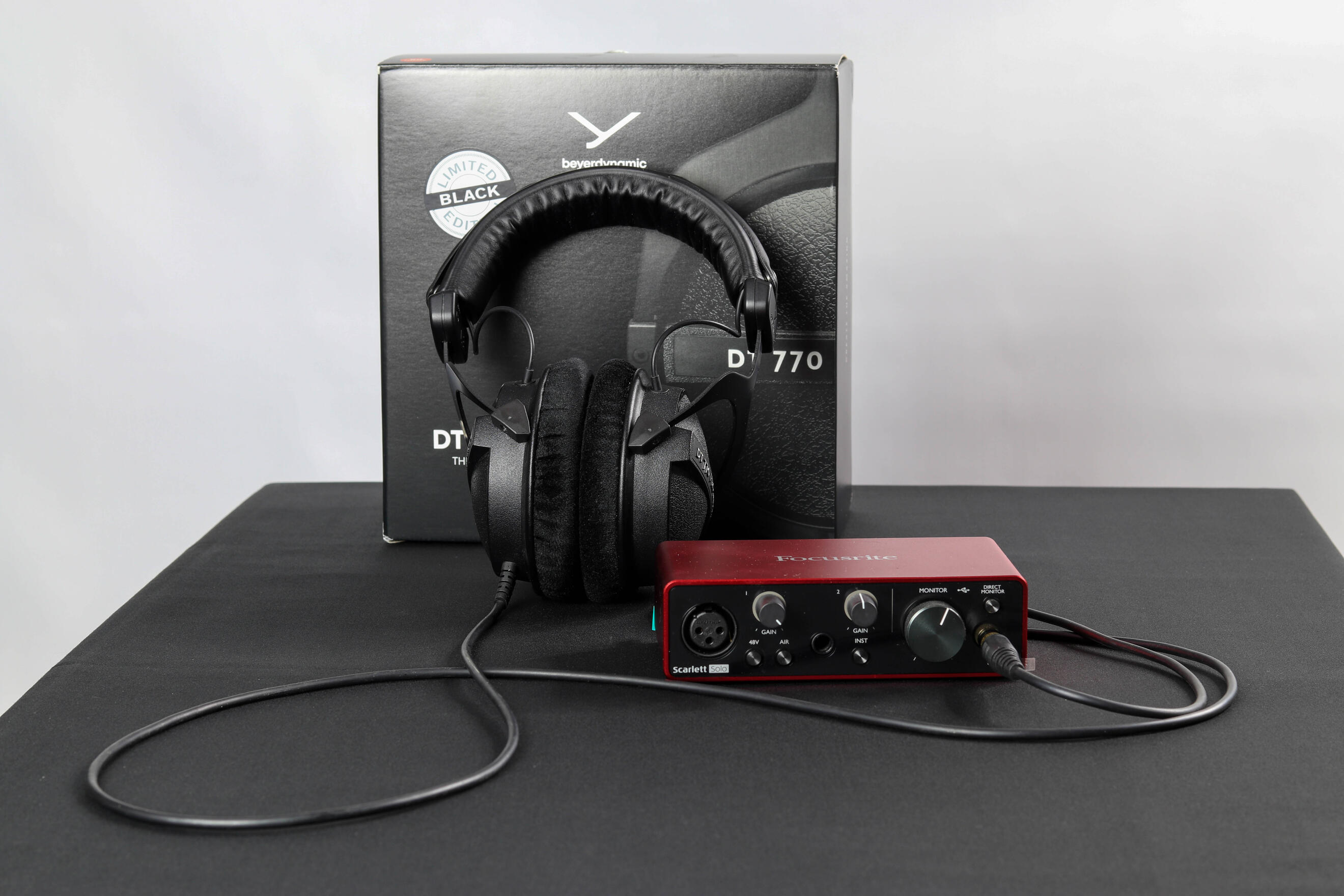
There are quite a lot of differences; here they are:32: Can be powered with pretty much everything (Phone, Laptop, pc, controller, etc.) Leather Earcups instead of Velvet, Shorter cable (1.6m)80: You need a normal DAC/AMP to enjoy the complete experience; a generic one will do the job. It's important to juice the maximum potential of these headphones. (I use a Scarlett Solo 3rd Gen)250: You need a powerful DAC/AMP to power it completely, the cable is also different it is coiled and not straight.*If you don't power them correctly, your overall sound will be lower and you will miss on a lot of things.
+Pros
-Excellent build quality
-Really balanced sound signature
-Everything can be bought separately and fixed
-Long cable (3m)
-3.5mm (1/8 inch) and 6.35mm (1/4 inch) Jack
-Highly adjustable
-Cons
-Round Shape, not as comfortable for my head shape
-Really tight on the head, but its positive at the same time
-Worst packaging I have ever seen
Technical Specs:
Weight: 375 Grams
Cable Length: 3 Meters
Connector Type: 3.5mm (1/8 inch) and 6.35mm (1/4 inch) Jack
Headphone frequency response: 5 - 35.000 Hz
Nominal sound pressure level: 96 dB
Nominal Headband pressure: Firm Fit approx. 3.5 - 5.5 NI highly recommend them to anyone who cares about their sound quality, and to anyone who wants a pair of headphones that will stand the test of time.
:)

Some of My Reviews

Contact Me

About Me
As you saw at the beginning, well,
I am an independent person who, over the years, has developed a passion for technology and reviews.I really enjoy testing different types of electronic products, whether they are mini PCs, headphones, mice, or any other electronic products.What's important to me is testing something that I'm likely to enjoy and then sharing it with people around the world.
That way, everyone wins!Readers can find out in advance whether the product is worth buying or not.Thank you very much for being here and reading this!
:)-YourHonestReviewer

3DMARK Steel Nomad
